Koh Lanta to Koh Mook - Ferry & Speedboat Guide
- Crossing time 50m–1h 45m
- Operators 3
- Departures a day 2
500+ THB
Schedules & prices


 Pick-Up
 Drop-Off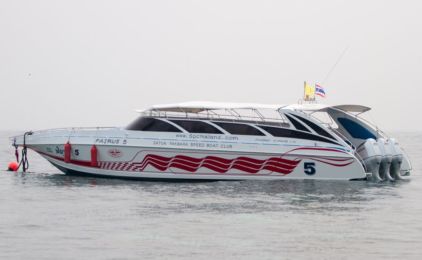
This trip is not available during the selected dates
Discover the Enchanting Journey from Koh Lanta to Koh Mook
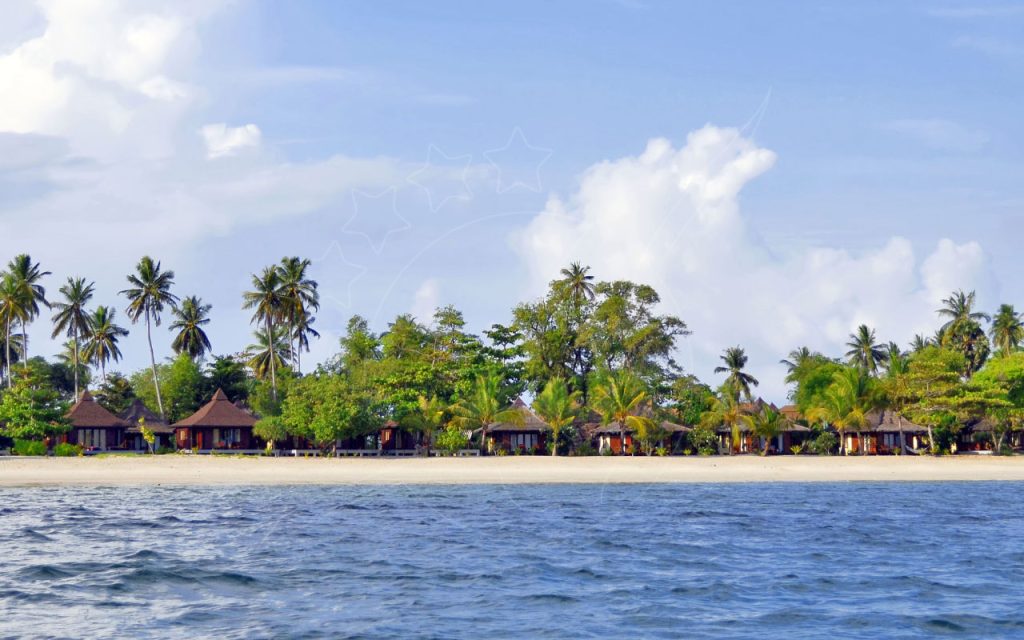
Embarking on a journey from Koh Lanta to Koh Mook or Koh Muk promises an adventure through some of Thailand's most breathtaking marine landscapes. Whether you're drawn by the allure of serene beaches, vibrant coral reefs, or the simple pleasure of a sea voyage, the journey between these two islands is nothing short of magical. With options ranging from leisurely ferry rides to swift speedboat crossings, travelers can choose the perfect blend of comfort and speed to suit their island-hopping itinerary.
Koh Lanta to Koh Mook Schedule and Pricing: Your Guide to Seamless Island Transfers
Navigating the waters between Koh Lanta and Koh Mook is made easy with a variety of scheduled departures and pricing options to accommodate every traveler's needs. Here's what you need to know to plan your seamless sea journey.
Departure Details:
- Koh Lanta to Koh Mook Ferry Option: Lanta Petpailin offers a direct route to Koh Mook, ensuring a smooth and scenic ride. Departures are scheduled at 10:00 AM, allowing travelers to soak in the midday sun and azure vistas. They also make stops in Koh Ngai and Koh Kradan.
- Koh Lanta to Koh Mook Speedboat Choices: For a faster trip, choose the Satun Pakbara Speed Boat Club or Bundhaya Speed Boat for quick and thrilling journeys from Saladan Pier to Koh Mook. Both speed boats leave at 10:30 AM, giving you great options for an early start. They also make a stop at Koh Ngai along the way.
Pricing Information:
For an affordable and pleasant trip, Lanta Petpailin offers a great deal with prices beginning at 600 THB, making it a budget-friendly yet cozy choice.
If speed is what you're after, both the Satun Pakbara Speed Boat Club and Bundhaya Speed Boat ensure a fast and fashionable journey to Koh Mook, with prices starting at 870 THB.
Check-in Instructions:
Arrive at least 30 minutes before your scheduled departure to allow ample time for check-in. Ensure you have your e-ticket from your phone or other device, identification, and any necessary travel documents ready to present at the boarding area.
Important Travel Information:
- Duration: The ferry ride typically takes about 2 hours, while the speedboat options whisk you to Koh Mook in just 30 minutes, offering a quicker alternative for those eager to start their island exploration.
- Luggage: Standard luggage allowances apply, but it's wise to check with your chosen operator for any specific restrictions or fees for oversized items.
- Safety and Comfort: Both ferry and speedboat operators prioritize passenger safety and comfort, equipped with life vests and onboard amenities to ensure a pleasant journey.
Embarking from Koh Lanta to Koh Mook has never been easier, with options to suit every pace and preference. Whether you're drawn to the leisurely pace of the ferry or the exhilarating speed of a speedboat, your island transfer promises to be a highlight of your Thai adventure. Utilize our online marketplace to compare, select, and purchase your tickets with ease, ensuring your journey from Koh Lanta to Koh Mook is not just a transfer, but an integral part of your travel experience.
Frequently asked questions
Do I need to print my ferry ticket or is mobile ok?
You don't need to print your ticket. Your boarding voucher is in your account: open Bookings, then View trip details, and click Download PDF. On the day of travel, show the QR code on it — on your phone is fine — to the ferry operator staff at the pier named on your ticket, and they will direct you to your boat.
If you'd prefer paper, print the PDF yourself.
What happens if my ferry is cancelled due to weather?
We are sorry when weather stops a sailing. Ferries usually run in rain; speedboats are more often stopped by rough seas.
If your trip is cancelled because of weather, your booking in Bookings shows a message once our team has confirmed the cancellation. You can then either move to the next available service with Change this booking, or cancel with Cancel & refund for a full refund.
If the sailing is running but you choose not to travel, the normal cancellation policy applies.
Why is my account locked?
We lock an account for a short time after several failed sign-in attempts in a row. It is an automatic safety measure: it stops someone else guessing your password, and it happens whether or not the person typing was you.
You do not need to contact us. The lock lifts on its own — see How long am I locked out for?
What is the difference between a locked and a blocked account?
Locked is automatic and temporary. It happens after repeated failed sign-in attempts and it lifts by itself — within a minute in most cases.
Blocked is a decision made by our team, and it does not lift on its own. If your account is blocked you will need to contact us; waiting will not change it, and neither will resetting your password.
If you are not sure which applies to you, get in touch and we will tell you.
How do I unlock my account now?
Wait, and try again. Every lock lifts on its own — a minute the first time, and never more than an hour however many attempts have failed. There is nothing to click and nobody to contact.
If you have forgotten your password, do not keep guessing: each wrong attempt makes the next wait longer. Use Forgot password instead. Resetting your password gets you straight back in.
My account locked but I never tried to sign in
Then someone else was trying to sign in as you, and the lock did its job — it stopped them.
Your account is safe: a lock means the attempts failed. Nobody got in. You do not have to do anything, and the lock will lift on its own.
We would still recommend two things:
- Change your password, especially if you use the same one on another website.
- Add an authenticator app in your account security settings, so a password alone is never enough to sign in as you.
If you get these repeatedly, contact us and we will look into it.